TriNet setup
TriNet connects through the unified HRIS connector. This page covers the TriNet-side configuration you complete first. Once it's done, add the connector in Mesh by following Connect your HR system.
These are different products. This page is for TriNet (the PEO product). If
your URL contains zenefits, you are on TriNet HR Platform — use TriNet HR
Platform setup instead, and select
TriNet HR rather than TriNet in the connection window.
You finish with three values:
| Value | Where it comes from |
|---|---|
| Company ID | The TriNet Integration Center |
| Client ID | Issued at the same time |
| Client secret | Issued at the same time |
Before you start
You need to be an Integration Administrator in your company's TriNet instance, or have a colleague who is.
These steps reflect Axiad's current understanding of TriNet's configuration. Because TriNet is a third-party product, there may be variations between your experience and what this guide describes, depending on the version in use and recent updates.
If you find a significant difference, or anything that doesn't make sense, let us know through Axiad support.
Step 1 — Open the Integration Center
-
Sign in to TriNet.
-
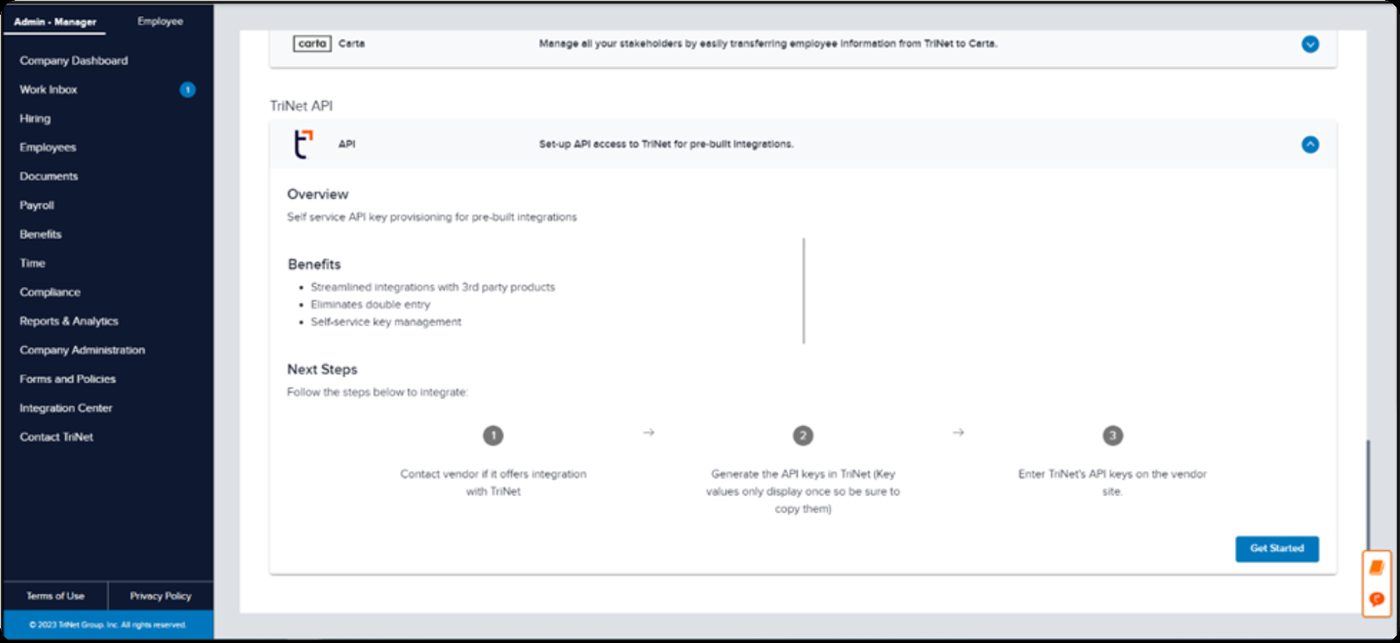
Go to Admin•Manager → Integration Center.
-
Under Available Apps, find the TriNet API section and select Get Started.
-
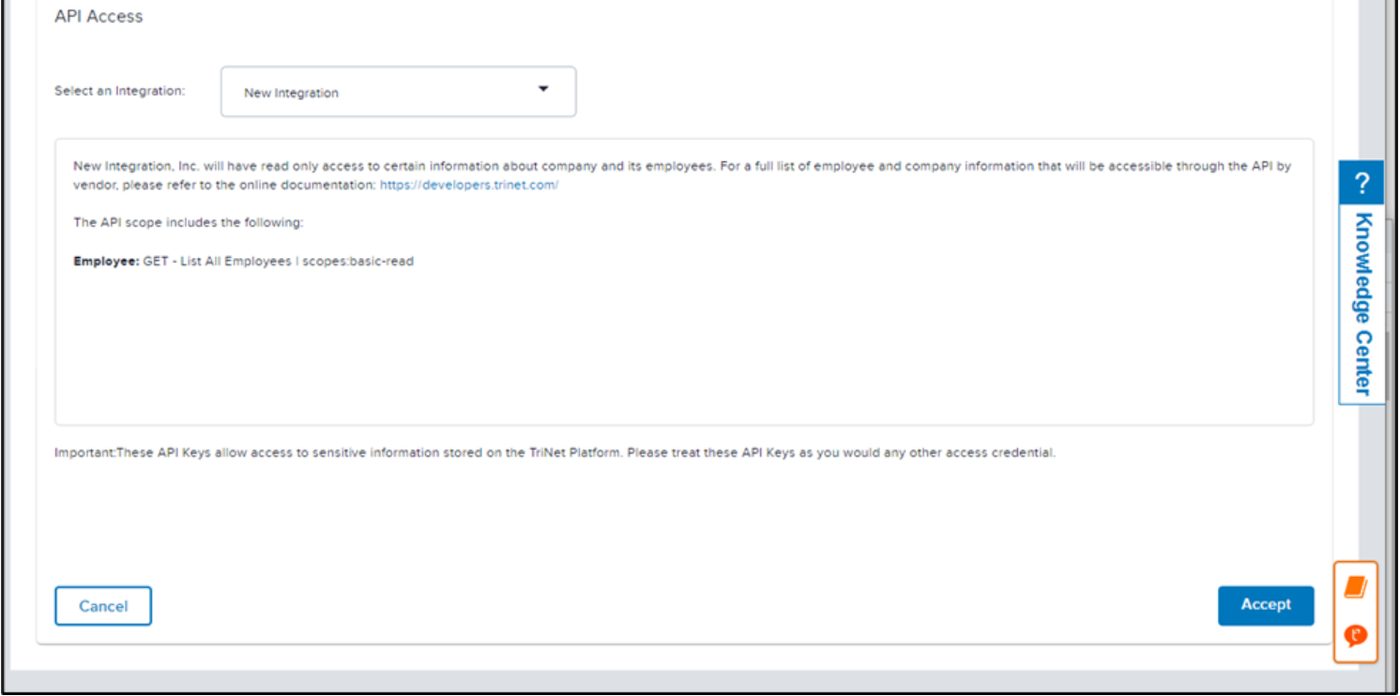
Choose the integration from the Select an Integration list.
If the integration isn't listedContact your TriNet account manager — the entry has to be made available to your company before it appears here.
-
Select Accept.
Step 2 — Copy the credentials
TriNet shows the company ID, client ID, and client secret.
The credentials cannot be retrieved afterwards. Either enter them in the connection window straight away, or save them somewhere secure first. If you navigate away without copying them, you have to repeat Step 1.
Step 3 — Connect in Mesh
Follow Connect your HR system, choose TriNet in the connection window, and supply the three values.
After connecting
The connector appears in your connectors list with Health: Initializing while the first collection runs, then moves to Good. Access is read-only: Mesh does not write back to TriNet.
If it doesn't come online, see Troubleshoot HR connectors.
Troubleshooting
| What you see | Likely cause | Fix |
|---|---|---|
| The screens don't match this guide | You are on TriNet HR Platform, formerly Zenefits | Follow TriNet HR Platform setup |
| You no longer have the credentials | TriNet shows them once | Repeat Step 1 to reissue them |
| The integration is missing from the list | It has not been made available to your company | Contact your TriNet account manager |