Lattice setup
Lattice connects through the unified HRIS connector. There is nothing to create in advance: you authorize the connection by signing in during setup.
Before you start
You need full admin access in your company's Lattice instance.
These steps reflect Axiad's current understanding of Lattice's configuration. Because Lattice is a third-party product, there may be variations between your experience and what this guide describes, depending on the version in use and recent updates.
If you find a significant difference, or anything that doesn't make sense, let us know through Axiad support.
Step 1 — Enter your subdomain
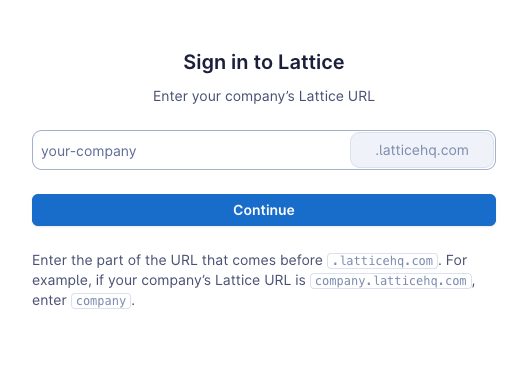
Follow Connect your HR system and choose Lattice. Supply your subdomain, and the connection window redirects you to Lattice to sign in.
Step 2 — Sign in and authorize
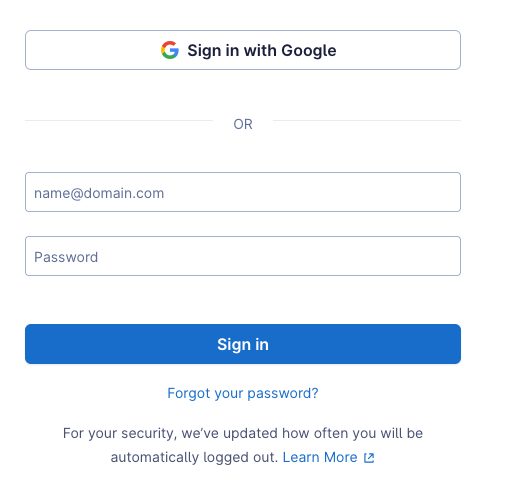
Sign in with your Lattice credentials and authorize the connection.
After connecting
The connector appears in your connectors list with Health: Initializing while the first collection runs, then moves to Good. Access is read-only: Mesh does not write back to Lattice.
If it doesn't come online, see Troubleshoot HR connectors.
Troubleshooting
| What you see | Likely cause | Fix |
|---|---|---|
| Authorization does not complete | The account is not a Lattice full admin | Have a full admin complete the authorization |
| The redirect fails | The subdomain was mistyped | Re-enter it from your Lattice URL |