Deel setup
Deel connects through the unified HRIS connector. This page covers the Deel-side configuration you complete first. Once it's done, add the connector in Mesh by following Connect your HR system.
You finish with one value: an organization token.
Before you start
- You must be a Deel admin.
- Your Deel account needs API access enabled. If you're unsure, confirm with your Deel account manager before starting — the token cannot be created without it.
These steps reflect Axiad's current understanding of Deel's configuration. Because Deel is a third-party product, there may be variations between your experience and what this guide describes, depending on the version in use and recent updates.
If you find a significant difference, or anything that doesn't make sense, let us know through Axiad support.
Step 1 — Open developer settings
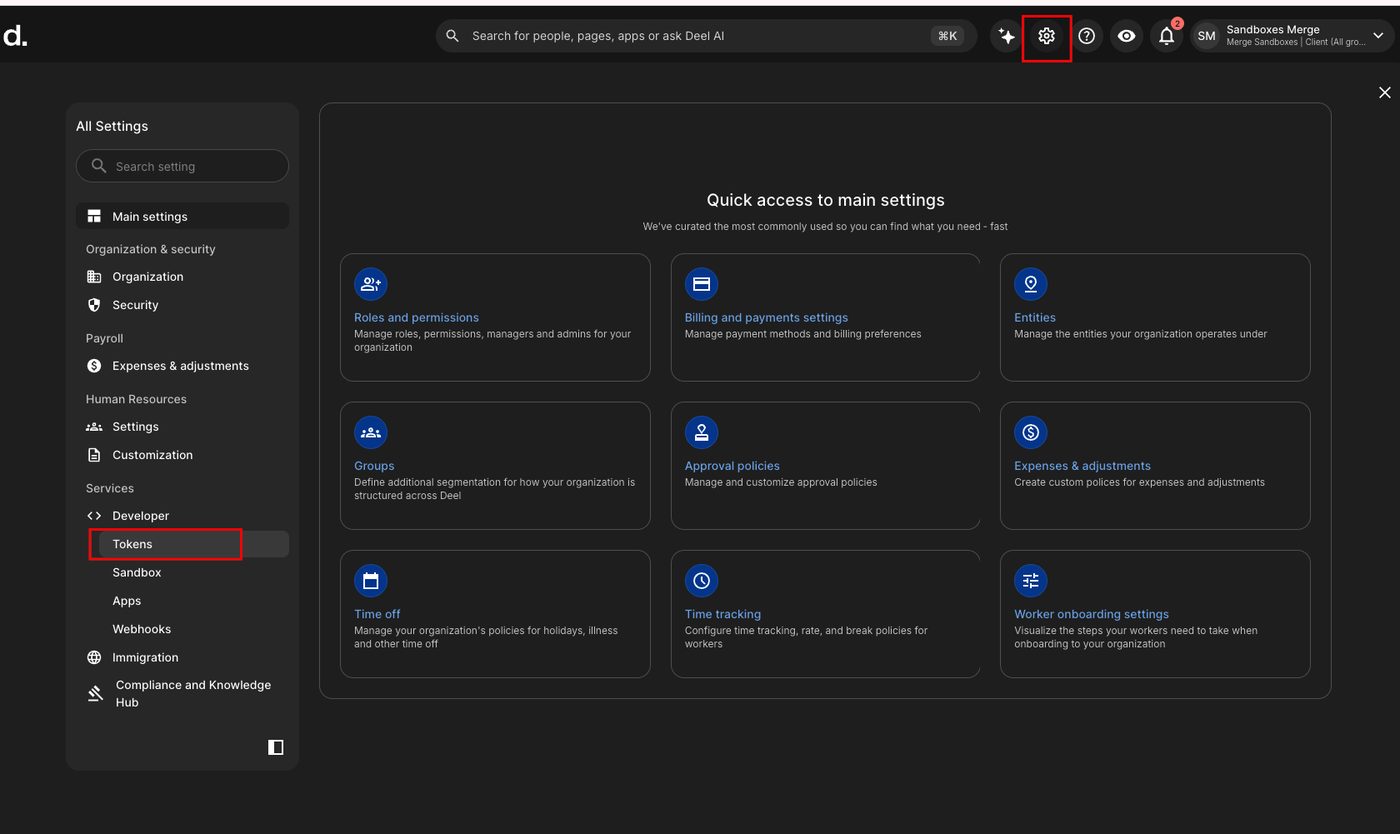
In the Deel portal, go to Settings → Developer → Token.
Step 2 — Generate a token
-
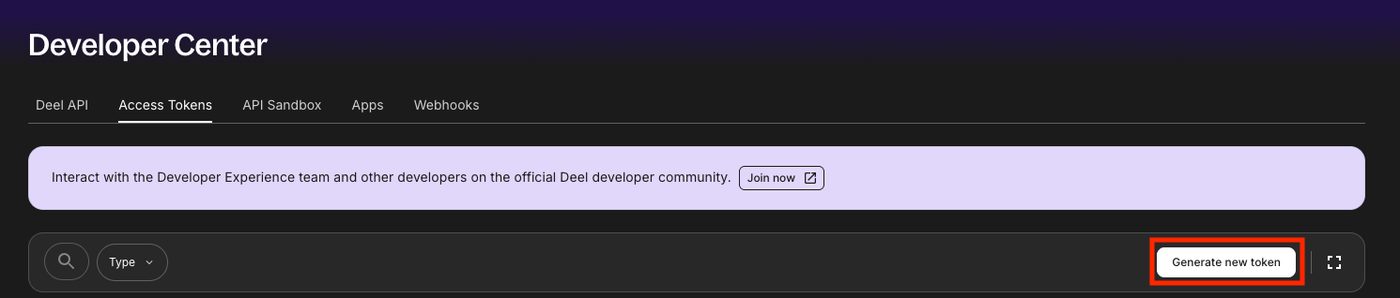
Under Access Tokens, select Generate new token.
-
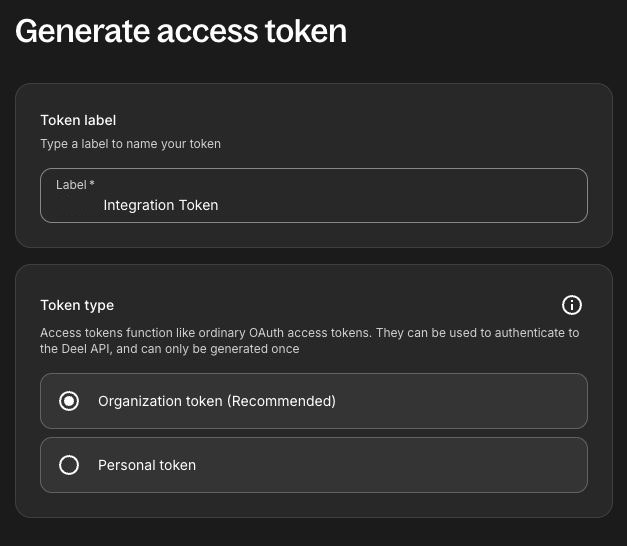
Label the token — something identifying the Axiad Mesh connection — choose Organization token, and select Next.
Step 3 — Select scopes
Grant these before generating:
| Scope | Gives Mesh |
|---|---|
Users:read | Employee, employment, and location information |
People:read | Employee, employment, and location information |
Organizations:read | Groups and teams |
Contracts:read | Groups and teams |
Accounting:read | Company information |
Time-off:read | Time off, if you want it |
Users:read and People:read are the ones identity correlation depends on. Add
the rest according to what you want in Mesh — the token reads what you grant,
and nothing more.
Step 4 — Connect in Mesh
Follow Connect your HR system, choose Deel in the connection window, and paste the organization token.
After connecting
The connector appears in your connectors list with Health: Initializing while the first collection runs, then moves to Good. Access is read-only: Mesh does not write back to Deel.
If it doesn't come online, see Troubleshoot HR connectors.
Troubleshooting
| What you see | Likely cause | Fix |
|---|---|---|
| You cannot generate a token | API access is not enabled on the Deel account | Ask your Deel account manager to enable it |
| The connector authorizes but collects no people | Users:read or People:read was not granted | Generate a new token with both scopes |
| Teams or groups are missing | Organizations:read and Contracts:read were not granted | Add them and reconnect |