Troubleshoot HR connectors
Stuck at Initializing
This is usually normal. A connector whose Health reads Initializing is one where Mesh is waiting for your HR provider to confirm the connection and signal that the first sync is ready. Mesh doesn't time out and won't flip the connector to an error state because time has passed.
Work through these in order:
- Give the first sync time. A large HR directory takes considerably longer to prepare than a small one.
- Check the authorization actually completed. If the connection window was closed before the provider reported success, authorization may never have finished. Use Relink (below) rather than starting over.
- Check for outstanding setup in your HR system. Some providers — Workday especially — need configuration on their side before they report a connection as ready. A missed step leaves the connector initializing indefinitely. See Workday setup.
- Contact support if it's been initializing far longer than your directory size explains. Mesh monitors long-running connections internally, and support can see the connection state directly.
Deleting a connector that hasn't finished initializing discards the authorization you've already completed and means redoing the provider-side steps. Try Relink first.
Reconnecting — Relink
If a connection stops working — a credential was rotated, access was revoked in the HR system, or authorization never completed — use Relink rather than deleting the connector. Health reads Reconnect needed when Mesh has established that the connection no longer works.
- In System configurations > Connectors, find the HRIS connector.
- Open its actions menu and select Relink.
- The connection window opens again. Re-authorize with your HR provider.
Relink keeps the existing connector, so identities Mesh has already built stay attached to it.

Healthy, but no data
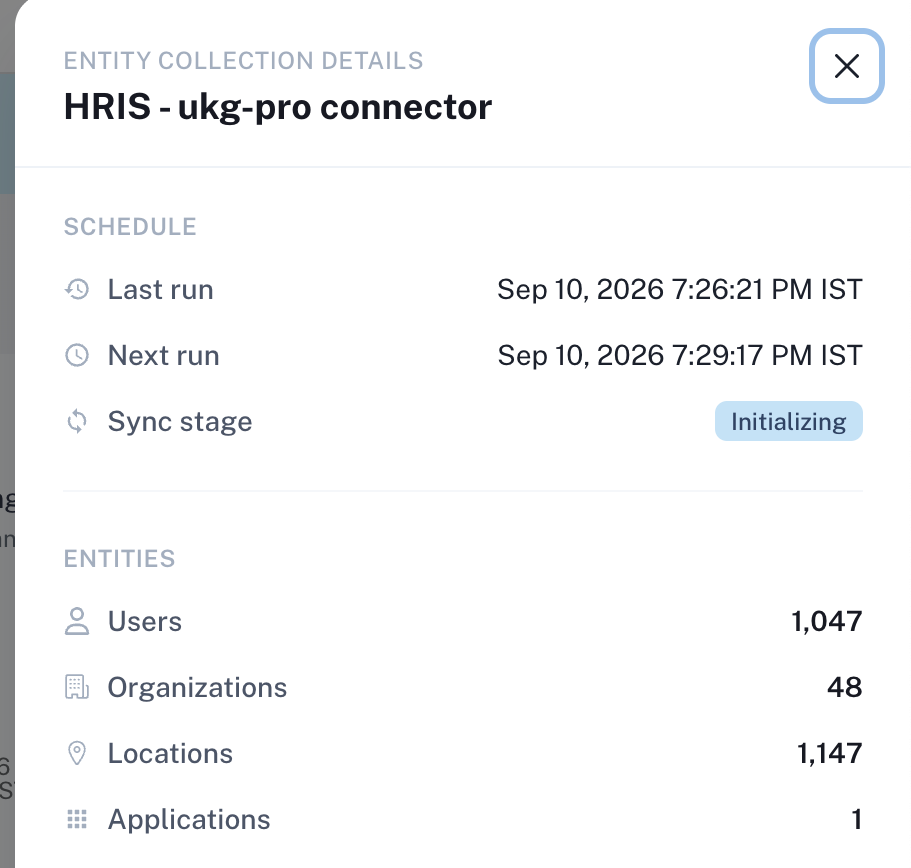
Open the connector's actions menu and select View collections.
- Counts are present — data is arriving. Nothing to do.
- Counts are empty and the first sync has had time to finish — this needs investigation. Contact support with the connector name and roughly when you connected; support can see whether the sync ran and what it reported.
Employment status shows Unknown
Unknown means Mesh couldn't confidently interpret the state your HR system reported, such as an ambiguous state or one your HR system defined itself. It's a deliberate answer, not a failure. See Employment status.
The Add HRIS option is missing
Two likely reasons:
- Permissions. Adding an HR connector requires a Mesh administrator account with permission to manage connectors.
- Data residency. If your tenant is configured for a region where HR data cannot be routed, Mesh blocks the setup rather than collecting data it should not route.
Nothing here matches
Contact Axiad Customer Success with:
- the connector name as it appears in the connectors table,
- your HR provider,
- the Health shown (Initializing / Good / Reconnect needed), and
- roughly when you connected or last relinked.
Those four details let support locate the connection without asking you for credentials — which Axiad support will never ask for.