Example: Axiad Conductor
This page walks through one complete universal REST setup, using Axiad Conductor (UCMS v3) as the system being connected. It's a useful reference even if you're connecting something else — the shape of the flow is the same, and the notes on nesting and first-sync behavior apply to any API that returns records inside records.
For the concepts behind this connector, start with Universal REST connector.
What Conductor contributes
| Conductor endpoint | Becomes in Mesh |
|---|---|
GET /api/v3/users | Users, groups, and group membership |
GET /api/v3/devices | Credentials |
The credentials are the point. Conductor returns them nested three levels deep — each user holds devices, and each device holds credentials — and every credential carries its X.509 certificate. Mesh reads that certificate to record the key algorithm, key size, and signature hash, which is what powers crypto posture and post-quantum readiness reporting.
Before you start
You need:
- The base URL for your Conductor tenant, in the form
https://ucms-<tenant>.demo.axiadids.net/secuera. - A bearer token for that tenant, with read access to
/api/v3/usersand/api/v3/devices. - The UCMS v3 OpenAPI document.
Set up the connector
From Connectors, choose Set up a connector, then Universal REST connector — the 6-step wizard for a REST API that has no dedicated connector.
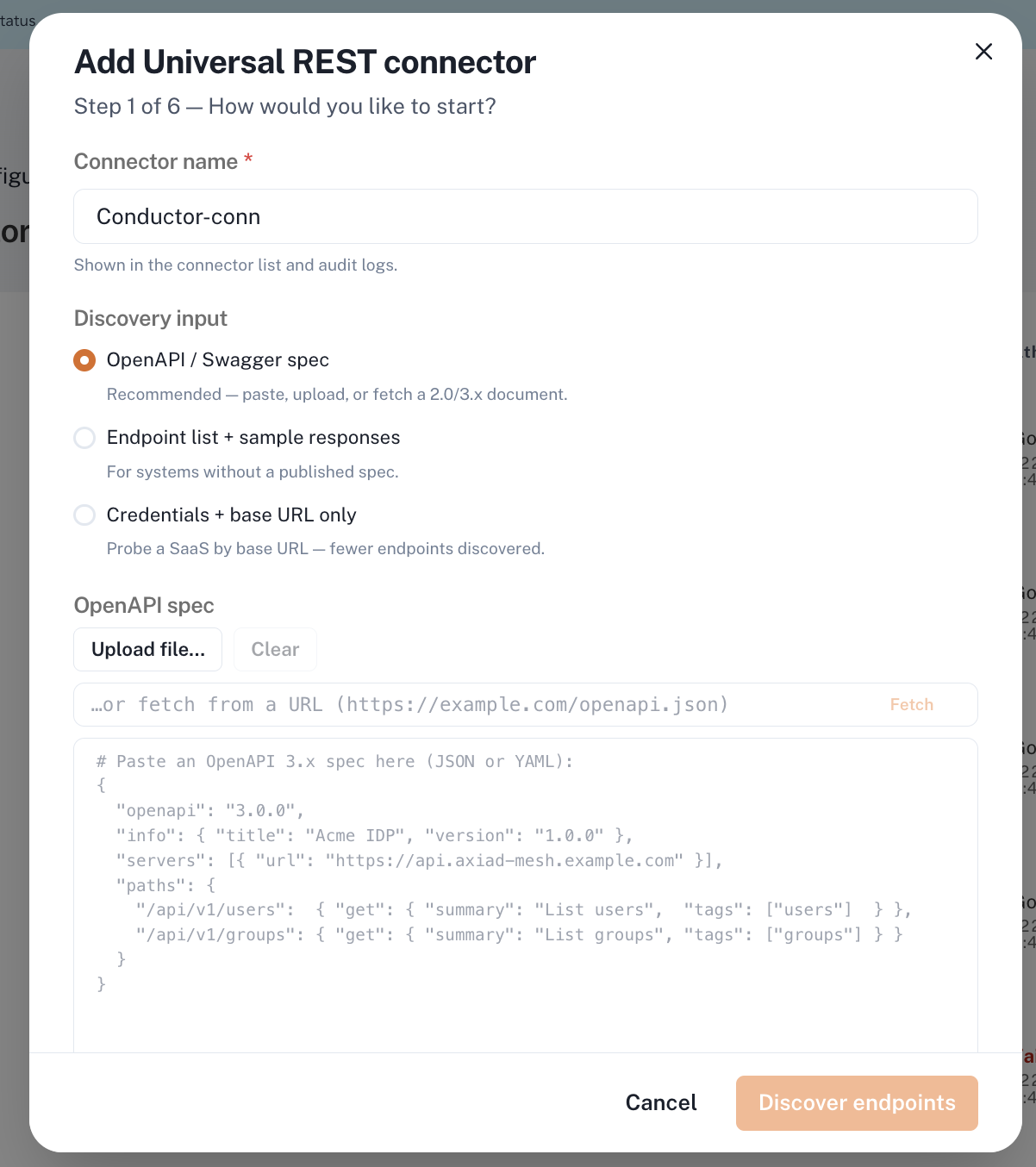
Step 1 — How would you like to start?
| Field | Select |
|---|---|
| Connector name | Conductor-conn |
| Discovery input | OpenAPI / Swagger spec (not Endpoint list or Credentials + base URL only) |
| OpenAPI spec | Upload or paste the UCMS v3 document |
| Base URL | https://ucms-<tenant>.demo.axiadids.net/secuera |
Set Base URL explicitly. The UCMS document doesn't declare a usable server entry, so leaving it blank produces a configuration that fails validation later.
Choose Discover endpoints.
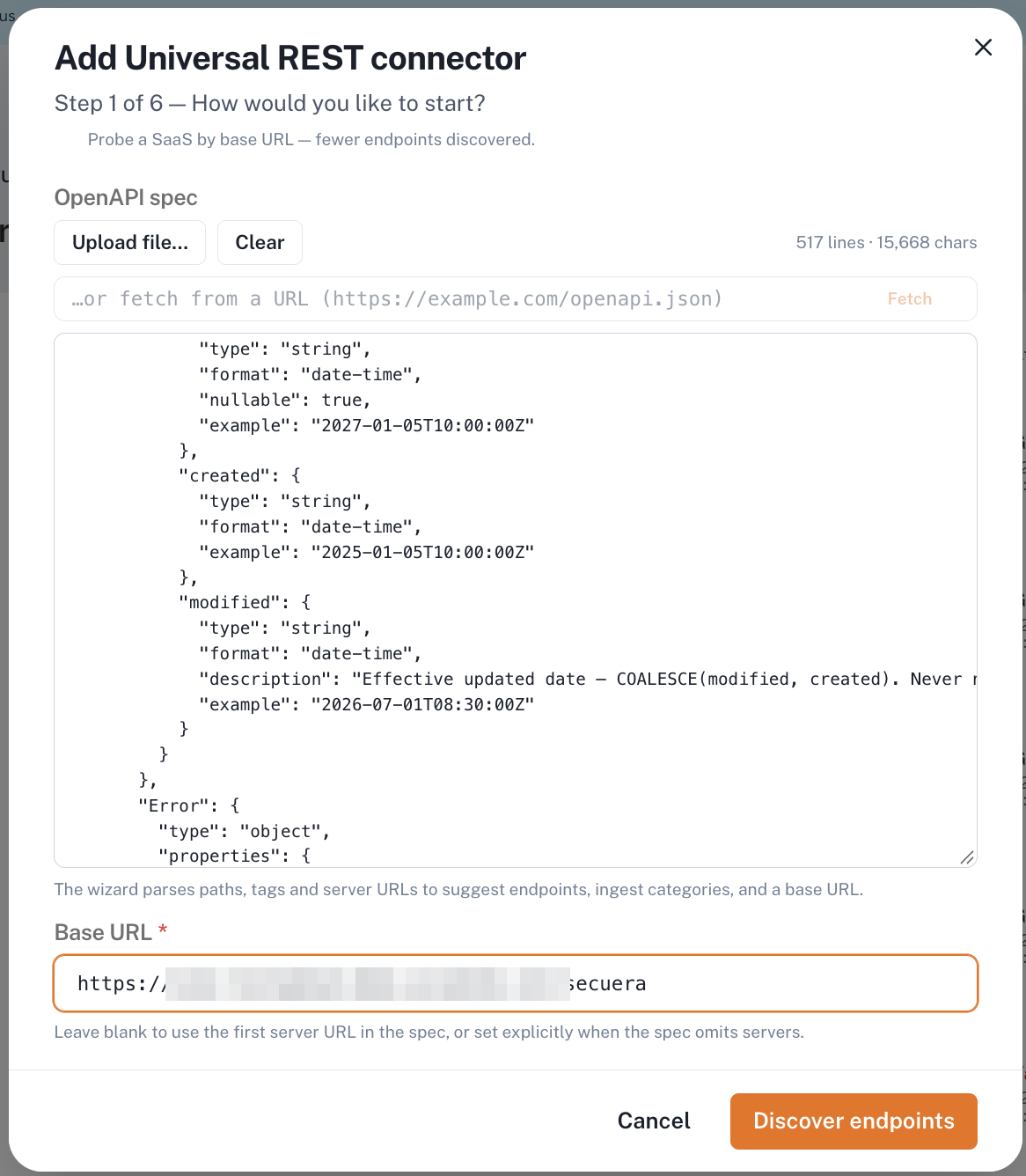
Step 2 — Discovery results
Nothing to select here. Confirm what Mesh found before continuing:
| Field | Expected |
|---|---|
| Source | OpenAPI / Swagger spec |
| Endpoints detected | 2 |
| Auth scheme | bearer |
If it reports fewer than two endpoints, the wrong document was supplied — go back rather than continuing.
Choose Continue.
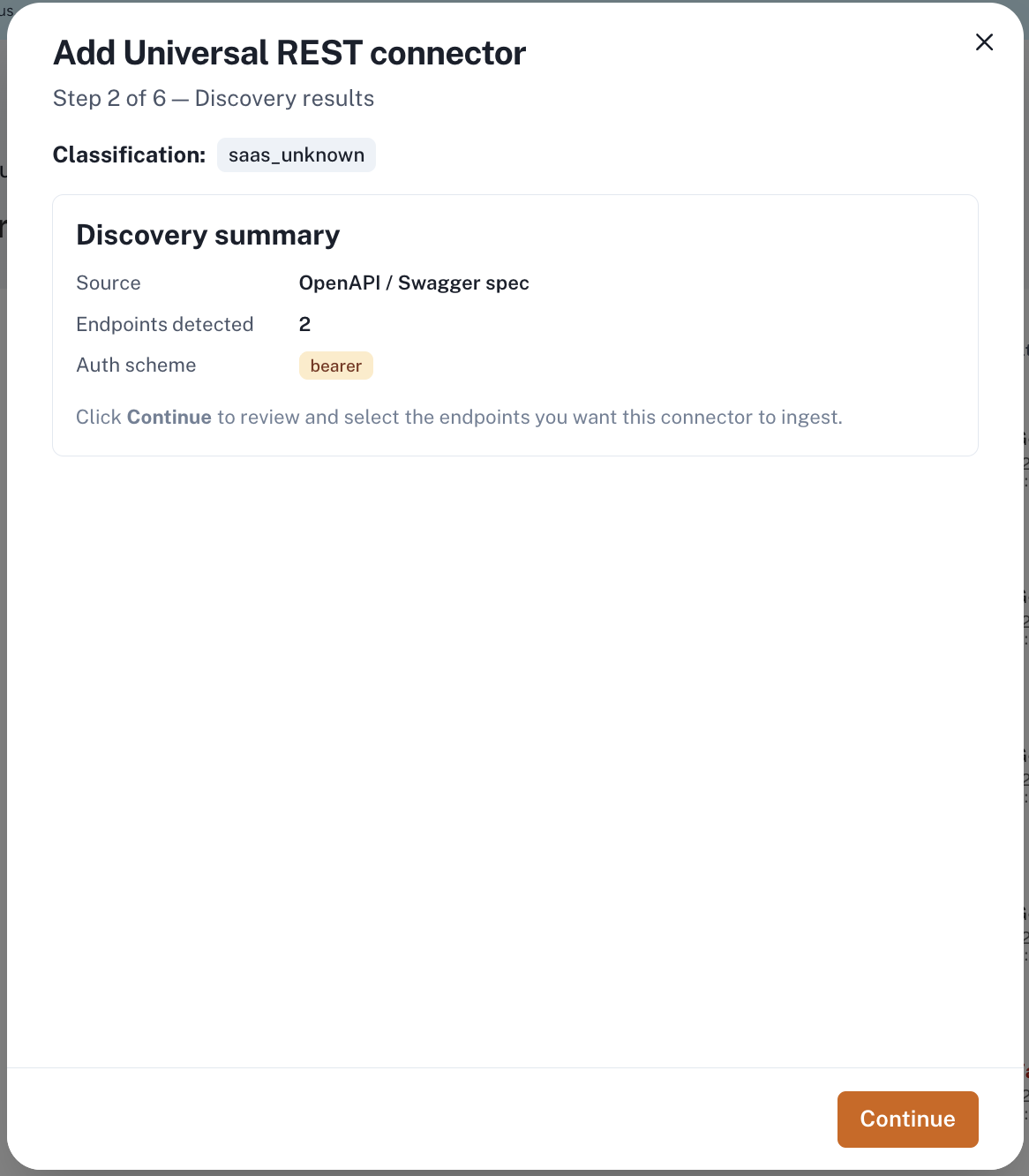
Step 3 — Confirm endpoints
Select both endpoints:
GET /api/v3/usersGET /api/v3/devices
Selecting only /api/v3/users leaves you with users and groups but no
credentials. Mesh shows a suggested category and a risk score against each
endpoint; neither needs changing.
Choose Continue.
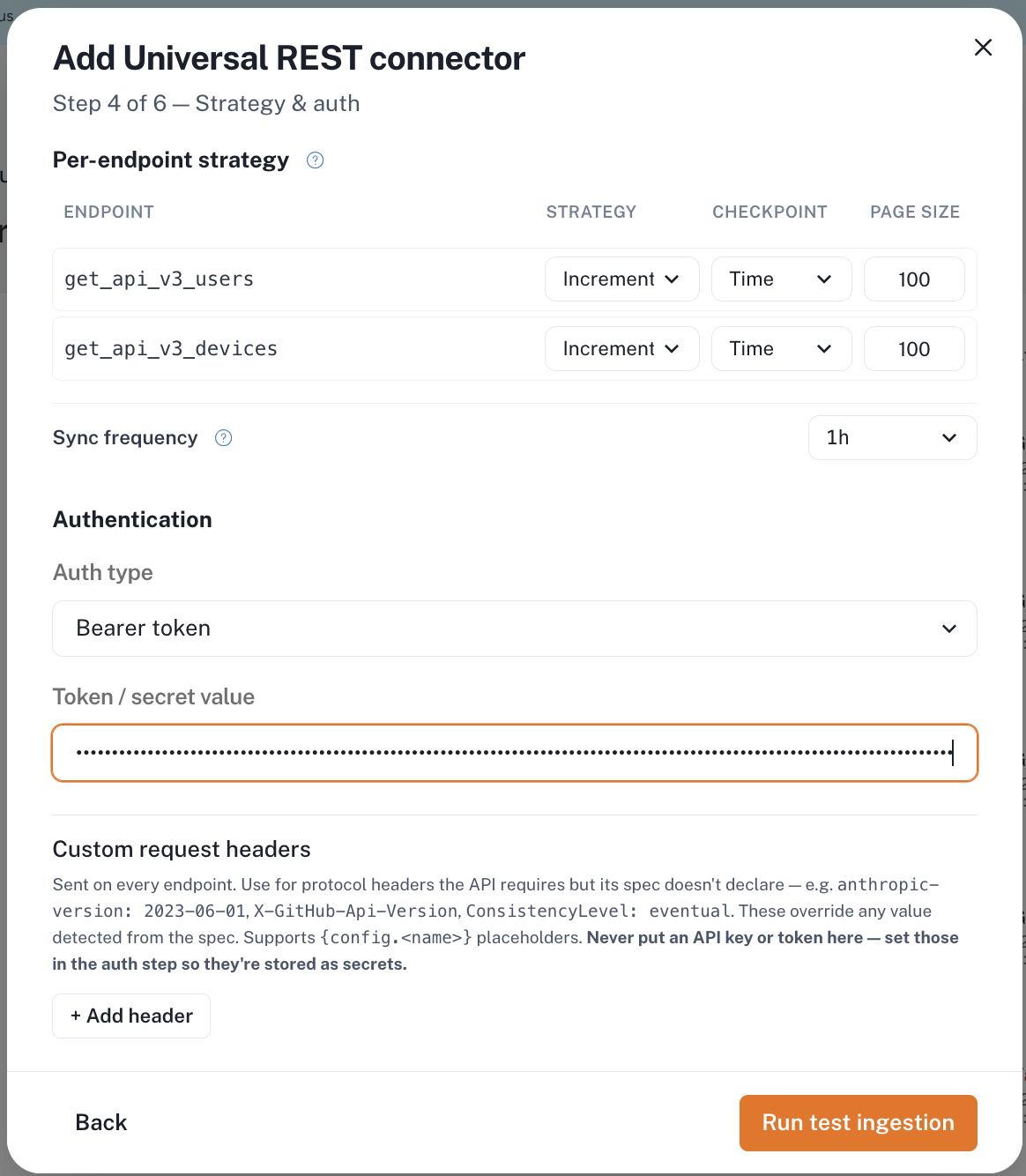
Step 4 — Strategy and authentication
Set both endpoints identically:
| Endpoint | Strategy | Checkpoint | Page size |
|---|---|---|---|
get_api_v3_users | Increment | Time | 100 |
get_api_v3_devices | Increment | Time | 100 |
Then:
| Field | Select |
|---|---|
| Sync frequency | 1h |
| Auth type | Bearer token |
| Token / secret value | Your Conductor bearer token |
| Custom request headers | None — Conductor needs no extra protocol headers |
Enter the token here even if you plan to test later. Mesh uses it to read one real page from each endpoint while it builds the configuration, and that's the only way it can see that credentials are nested inside devices inside users. An API specification doesn't include example responses, so without the token Mesh builds a flat configuration, and the connector collects a small number of records with no error to explain why.
Choose Run test ingestion.
Step 5 — Test ingestion
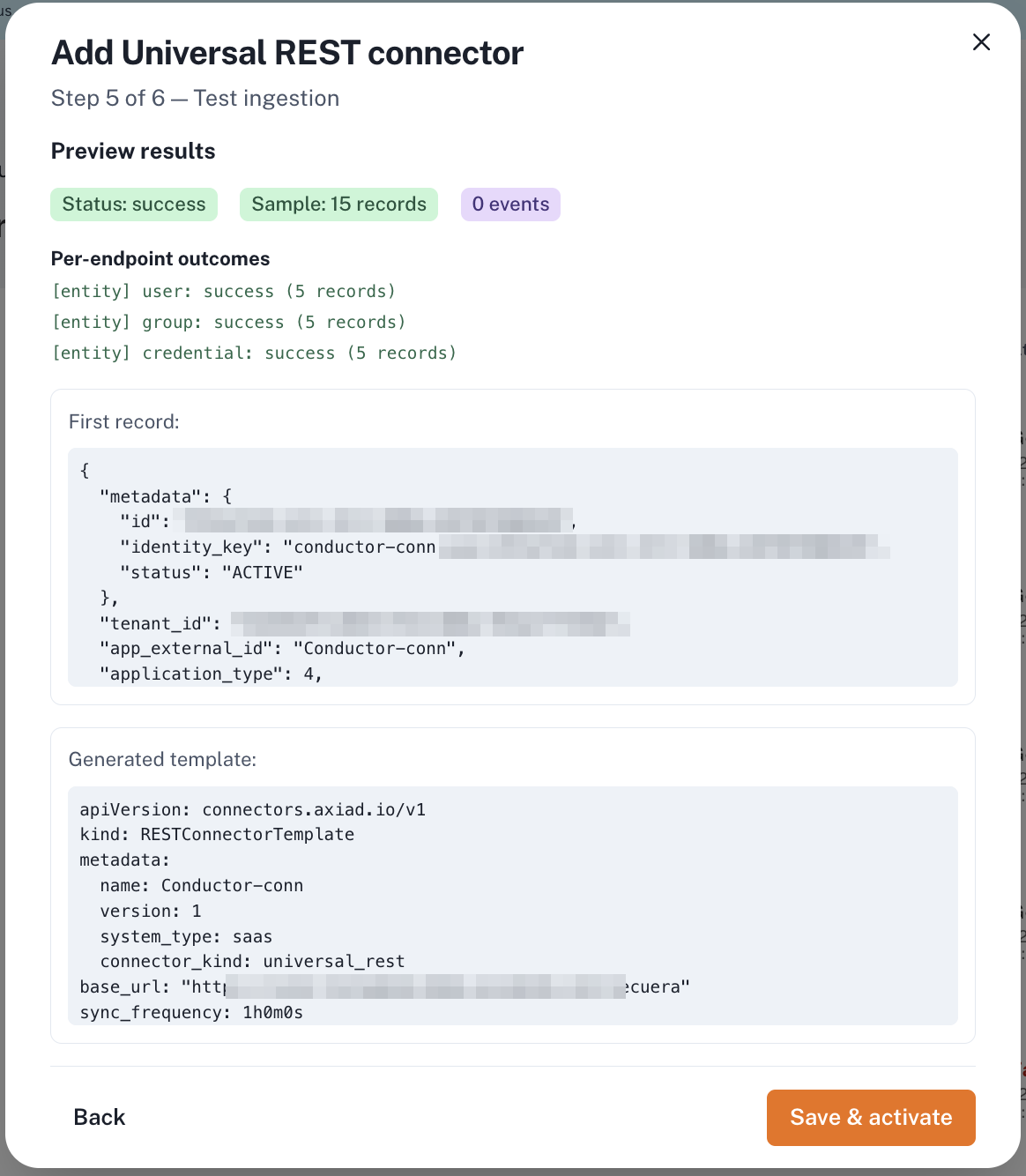
A healthy result reports Status: success with all three categories present:
[entity] user: success[entity] group: success[entity] credential: success
If credential is missing, stop and rebuild the connector — the
configuration was generated without reading a live page, and the connector
will not collect credentials once activated.
The record counts shown here are a capped preview, not a forecast. Five per category is normal and says nothing about how much data your first sync will collect.
Review the generated configuration below the results, then choose Save & activate.
Step 6 — Save and activate
The connector appears on the Connectors page and runs on the schedule set in step 4.
What to expect on the first sync
Credentials may not appear on the first run. This is expected on larger tenants and needs no action.
Mesh collects a bounded number of records per run so a large source can't exhaust memory. If your Conductor tenant has many users, the user endpoint uses that budget on its own, and the device endpoint runs on a later sync. Each run resumes exactly where the previous one stopped.
On a tenant with roughly 58,000 users, credentials appeared after about 12 hours of scheduled syncs. Nothing was required in between.
You can watch progress on the connector's health panel: user counts climb first, and credentials appear once the user endpoint completes.
If you need credentials sooner on a large tenant, contact Axiad Customer Success — the endpoint order can be adjusted so devices are collected first.
Troubleshooting
| What you see | What it means |
|---|---|
| Users and groups collected, but no credentials, and the sync keeps completing | Normal on a large tenant — the device endpoint runs after the user endpoint finishes. Check again after several sync cycles. |
Test ingestion succeeds but shows no credential category | The configuration was built without a token, so the nesting wasn't detected. Rebuild the connector and enter the token at step 4. |
| Sync reports success but counts stop changing | Confirm the token hasn't expired — Mesh reports an authentication failure separately, but an expired token narrows what Conductor returns. |
| Group membership all appears under one group | Conductor assigns directory identifiers to groups synced from Active Directory, but not to locally defined groups. Contact Axiad Customer Success. |
Related
- Universal REST connector — concepts and template model
- Manage connector credentials