Personio setup
Personio connects through the unified HRIS connector. This page covers the Personio-side configuration you complete first. Once it's done, add the connector in Mesh by following Connect your HR system.
You finish with two values: a client ID and a client secret.
Before you start
You need administrator permissions in your company's Personio instance, or a colleague who has them.
These steps reflect Axiad's current understanding of Personio's configuration. Because Personio is a third-party product, there may be variations between your experience and what this guide describes, depending on the version in use and recent updates.
If you find a significant difference, or anything that doesn't make sense, let us know through Axiad support.
Step 1 — Create a custom integration
-
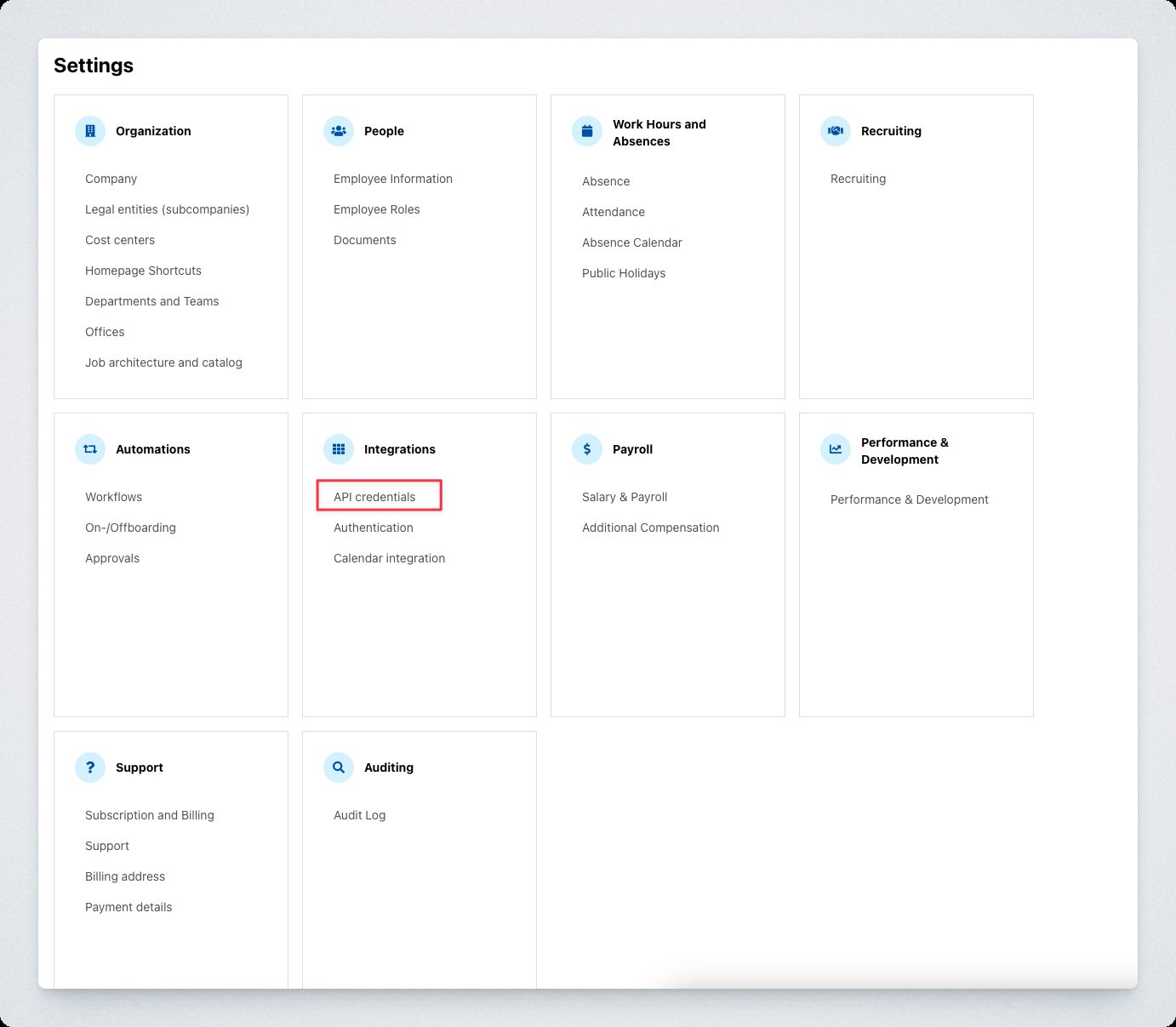
Sign in to Personio and open Settings at the bottom left.
-
On the Integrations tile, select API credentials.
-
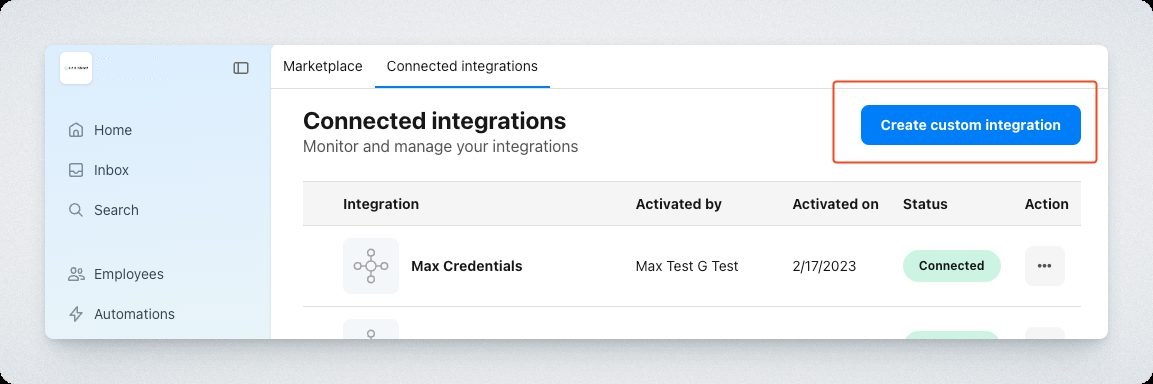
Select Create custom integration.
-
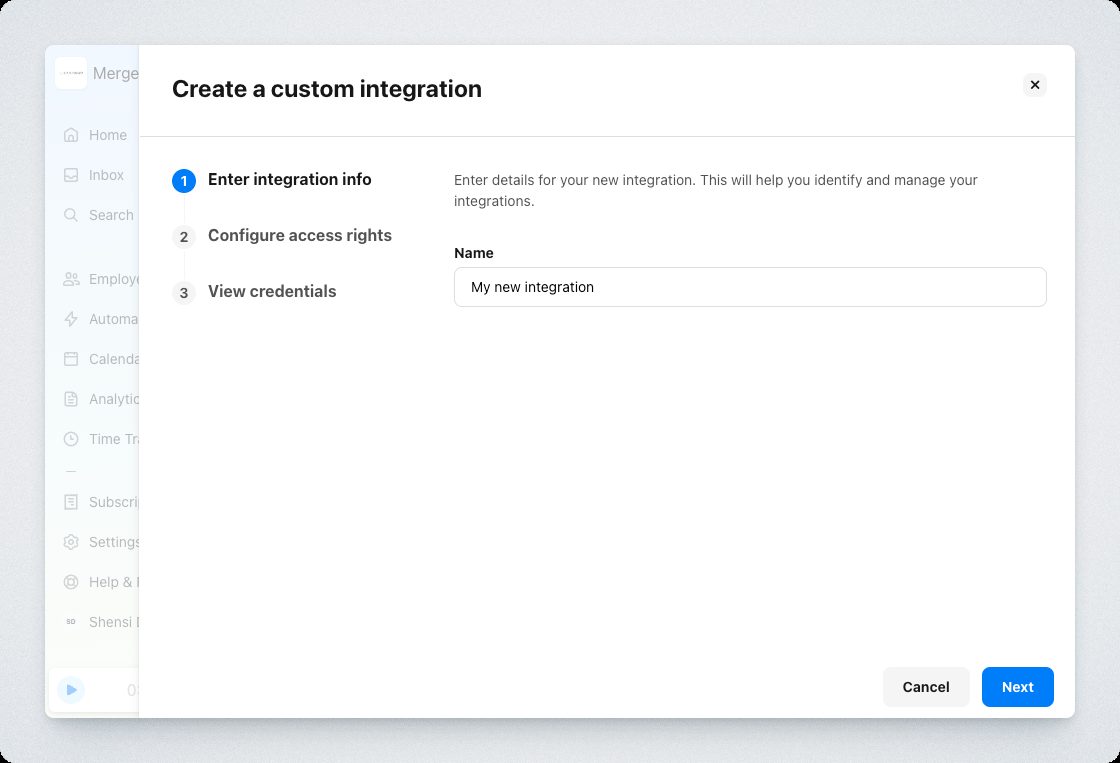
Name the integration — something identifying the Axiad Mesh connection — and select Next.
Step 2 — Grant attributes
Under Select the attributes you want to grant access rights for, select at least:
- Employees
- Org Units
Add Attendances and Absences only if you want that data in Mesh.
Then, under Readable employee attributes, select the fields to sync. Mesh uses HR data for identity correlation and risk assessment, so identity, employment status, and organizational fields are the useful ones — it reads what you grant, and nothing more.
Step 3 — Connect in Mesh
Follow Connect your HR system, choose Personio in the connection window, and supply the client ID and client secret.
After connecting
The connector appears in your connectors list with Health: Initializing while the first collection runs, then moves to Good. Access is read-only: Mesh does not write back to Personio.
If it doesn't come online, see Troubleshoot HR connectors.
Troubleshooting
| What you see | Likely cause | Fix |
|---|---|---|
| The connector authorizes but collects no people | The Employees attribute was not granted | Edit the custom integration, grant it, then re-run the collection |
| Employee fields are missing | Those fields are not in Readable employee attributes | Add them to the integration and re-run the collection |
| Department or team data is absent | Org Units was not granted | Add it to the integration |