BambooHR setup
BambooHR connects through the unified HRIS connector. This page covers the BambooHR-side configuration you complete first. Once it's done, add the connector in Mesh by following Connect your HR system.
You finish with two values:
| Value | Where it comes from |
|---|---|
| Subdomain | The first part of your BambooHR sign-in URL |
| API key | Generated from your BambooHR account menu |
Before you start
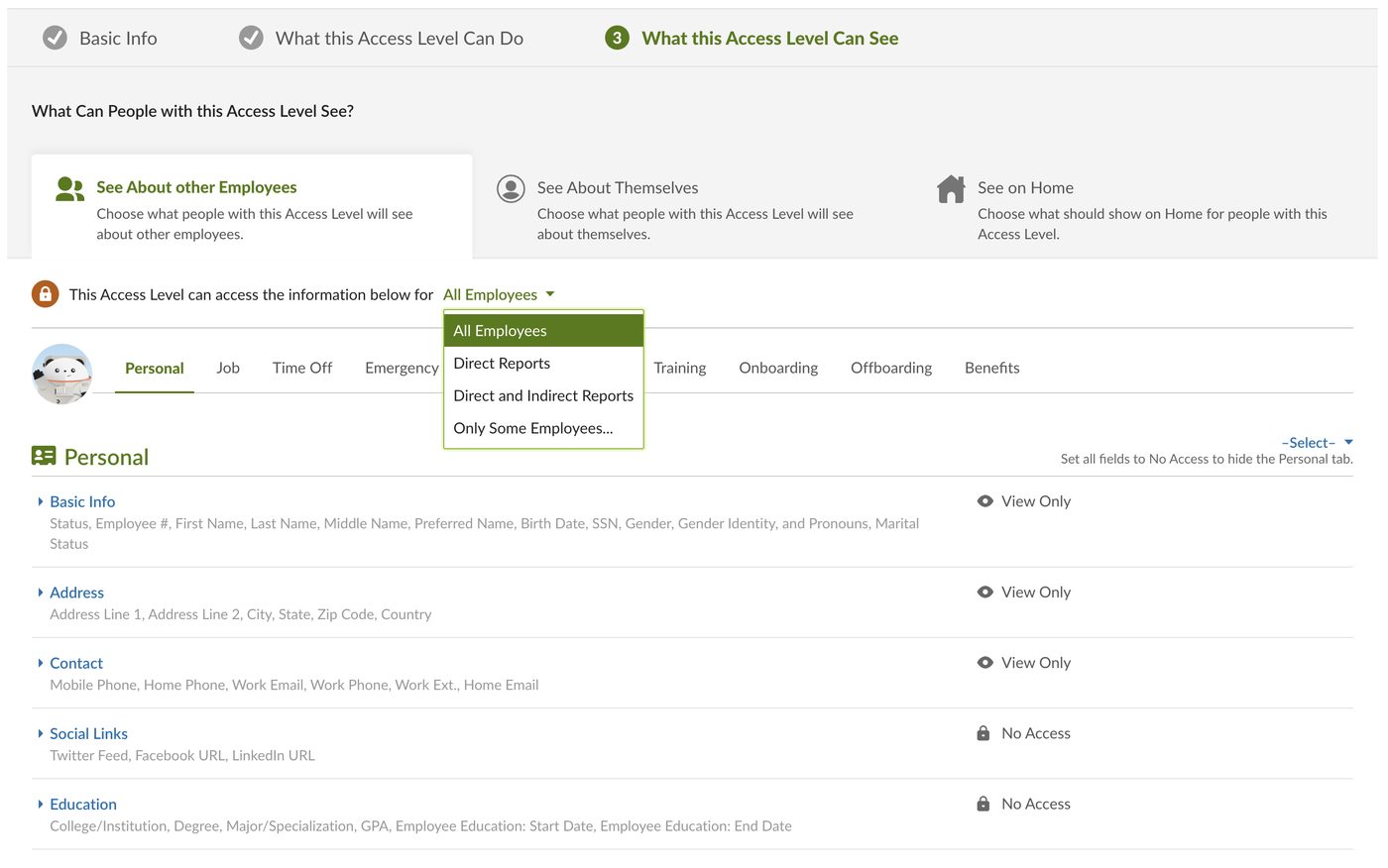
You need either Full Admin access in your company's BambooHR instance, or a custom access level with enough visibility.
If you're using a custom access level, three things matter:
- Set it to view All Employees. Anything narrower means employee records are silently missing from what Mesh collects.
- Grant view access to each category of information you want synced.
- Grant view access to your own section too, so your own record is included.
You can check your access level under Settings → Access Levels.
These steps reflect Axiad's current understanding of BambooHR's configuration. Because BambooHR is a third-party product, there may be variations between your experience and what this guide describes, depending on the version in use and recent updates.
If you find a significant difference, or anything that doesn't make sense, let us know through Axiad support.
Step 1 — Note your subdomain
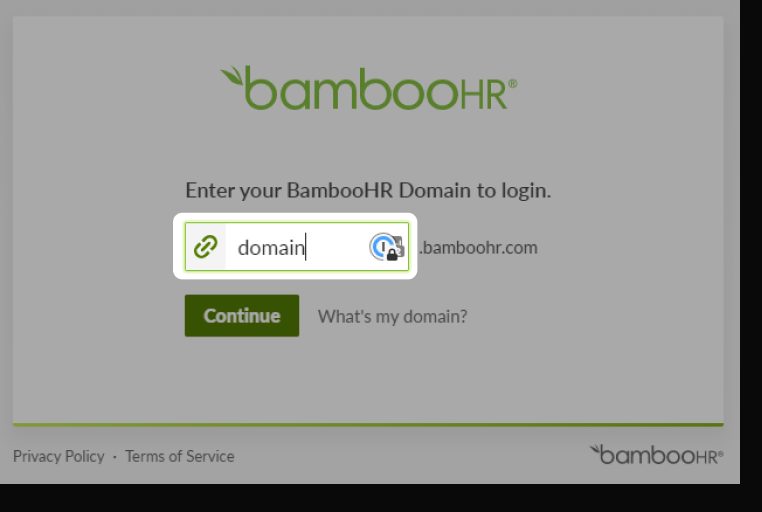
Your subdomain is the first part of your BambooHR sign-in URL, not the whole
host. If you sign in at acme.bamboohr.com, the subdomain is acme.
Step 2 — Generate an API key
-
In BambooHR, open your account menu and choose API Keys.
-
Generate a new key and copy it.
Copy the key nowBambooHR shows an API key once. If you navigate away without copying it, you have to generate a replacement.
Give the key a name that identifies it as the Axiad Mesh connection, so a later administrator knows what it belongs to.
Step 3 — Connect in Mesh
Follow Connect your HR system, choose BambooHR in the connection window, and supply your subdomain and API key.
After connecting
The connector appears in your connectors list with Health: Initializing while the first collection runs, then moves to Good. Access is read-only: Mesh does not write back to BambooHR.
If it doesn't come online, see Troubleshoot HR connectors.
Troubleshooting
| What you see | Likely cause | Fix |
|---|---|---|
| Authentication fails | The full host was entered instead of the subdomain | Enter only the first part, for example acme rather than acme.bamboohr.com |
| Employee records are missing | The access level does not view All Employees | Change it under Settings → Access Levels, then re-run the collection |
| Your own record is absent | The access level cannot view your own section | Grant view access to your section and re-run the collection |
| You no longer have the API key | BambooHR shows it once | Generate a new key and reconnect |