Data source syncs
Every time a connector collects data, Mesh records it. Data source syncs is where you read those records: one row per run, newest first.
Use it to answer three questions:
| Question | Where to look |
|---|---|
| Did last night's collection work? | The Status column |
| How much did it bring in? | The Items column |
| Why did it fail, and what do I fix? | Open the row, then Troubleshoot a sync |
Where to find it
- Select Settings.
- Select Data source syncs.
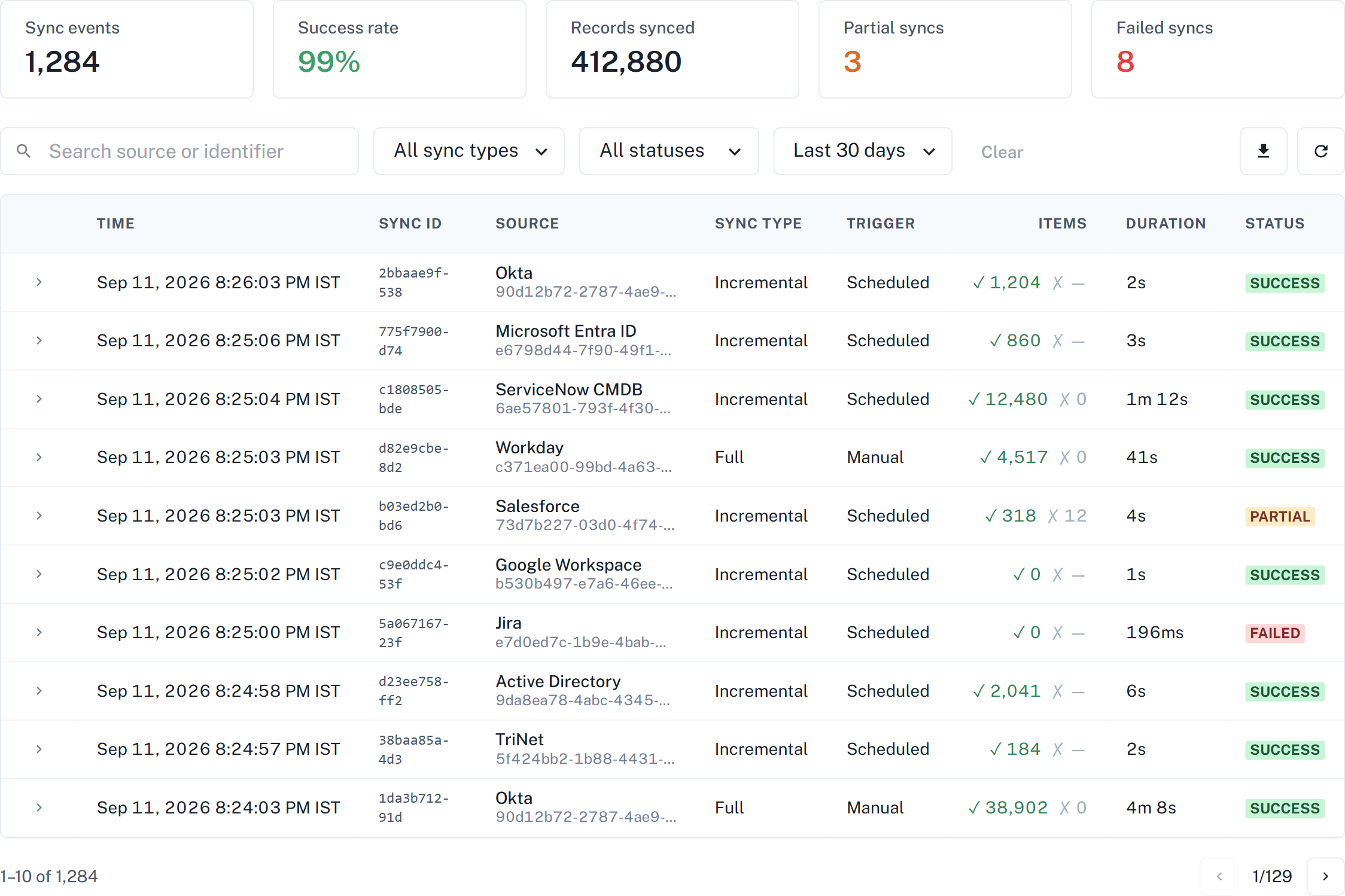
One row per run
A single collection has a start and a finish. Data source syncs joins them into one row, so the count of rows is the count of runs — not double it.
A run that has started but not finished shows as In progress. When it finishes, the same row updates with the outcome and the duration.
What it covers
- Every connector type. Whatever you have connected appears here.
- Scheduled and manual runs. A run you triggered yourself is recorded the same way as one that ran on its schedule, and the Trigger column tells you which it was.
- The last 90 days, selectable in the time-range filter.
The Items column is what that one run collected — not a running total for the connector. A connector that collects nothing new on an incremental run is working correctly, and shows a low number.
Two screens, two questions
Data source syncs sits alongside the connector list, and they answer different questions. Both are useful; use the one that matches what you are asking.
| Screen | Answers |
|---|---|
| Connectors list | Is this connector healthy right now? |
| Data source syncs | What happened on each individual run? |
A connector can be healthy today and still have a failed run last week. That is normal, and the two screens showing different things is not a contradiction — they are reporting different time frames.
Next
| Page | What it covers |
|---|---|
| Read a sync result | Every column, every status, and what the item counts mean |
| Troubleshoot a sync | A failed run, a partial run, and a run that never finishes |