Remove an identity provider
Over time you may end up with identity providers (IdPs) you no longer need — for example, duplicates created while setting up your organization, or a provider you have since replaced.
You can remove these yourself.
A removed identity provider disappears from your list. The record is kept and nothing is permanently deleted, but only Axiad can bring it back. If you remove one by mistake, contact Axiad Customer Success.
Remove compared with disable
These are two different actions, and it is worth knowing which one you want.
| Disable | Remove | |
|---|---|---|
| Users can sign in through it | No | No |
| Stays in your list | Yes, as Disabled | No, it disappears |
| Intended for | Temporarily turning a provider off | A provider you do not intend to use again |
| Reason recorded | No | Yes, and it is required |
| How to undo | Switch the status toggle back on | Contact Axiad support |
If there is any chance you will want the provider back, disable it instead. Disabling is fully reversible by you; removing is not.
Remove is available for identity providers only. Connectors and other integrations are not removed this way.
Remove an identity provider
-
From the homepage, select the gear icon to open the Settings page.
-
Select Identity providers in the left-side menu.
-
On the row of the identity provider you want to remove, select the three-dot menu, then select Remove.
-
In the Remove an identity provider dialog, check the name shown in bold is the provider you intended.
-
Enter a reason in Why are you removing this?
This is required — Remove stays unavailable until you enter one. The reason is recorded in your audit trail, so that anyone reviewing the change later can see why it happened. A short, specific note such as
duplicate Okta provider created during onboardingis more useful thancleanup.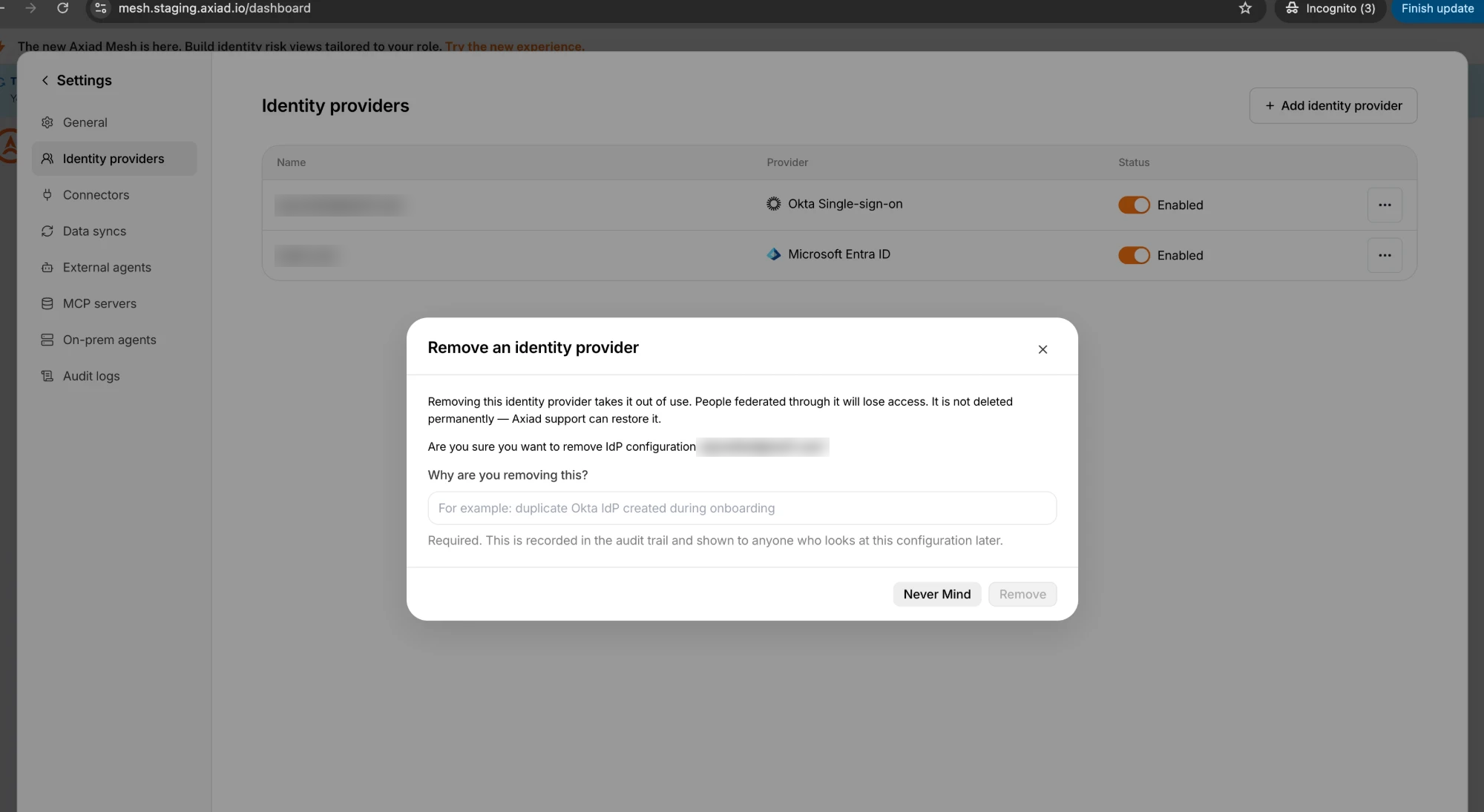
-
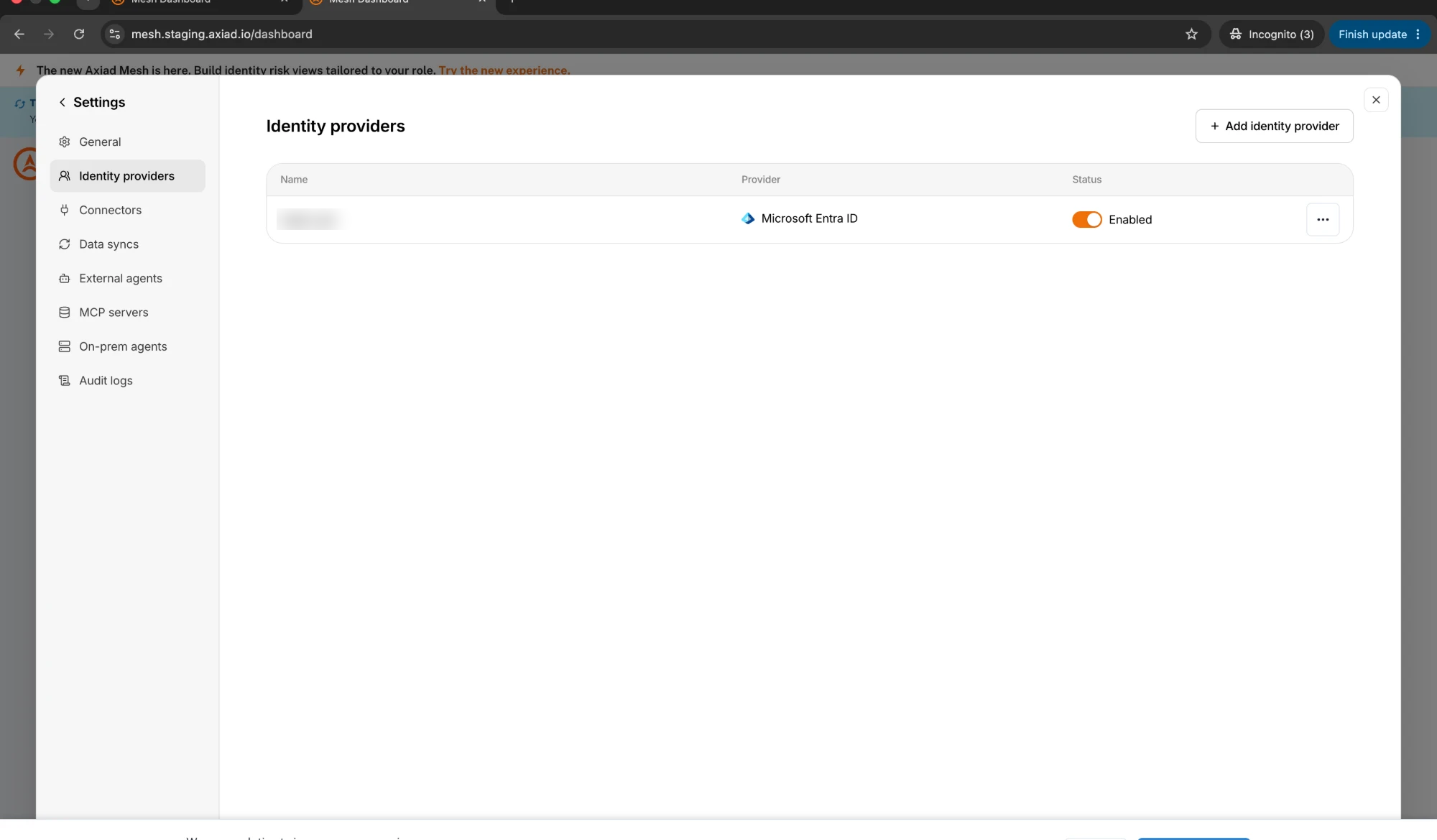
Select Remove.
The provider is removed from your list.
What happens to sign-in
People can no longer sign in through a removed identity provider. This takes effect within about five minutes.
If someone tries during that short window, their sign-in may still succeed. That is expected.
Removing an identity provider does not sign out people who are already signed in through it. Their existing session continues until it expires normally. What changes is that they cannot sign in again through that provider.
If you removed one by mistake
Contact Axiad Customer Success.
The configuration is not deleted when you remove it — it is kept, along with who removed it, when, and the reason they gave. Axiad support can restore it for you, and it comes back enabled.
Because restoring is not something you can do yourself, it is worth pausing on the confirmation dialog to check you have the right provider.
Safeguards
Two checks prevent the most damaging mistakes. Both refuse the action and explain what to do instead — nothing is removed when they apply.
You cannot remove your last working identity provider
If a provider is the only Enabled one in your organization, removing it would leave nobody able to sign in — including you, and including whoever would need to sign in to put it right.
The removal is refused with the message "cannot remove the tenant's only active identity provider; add another identity provider first".
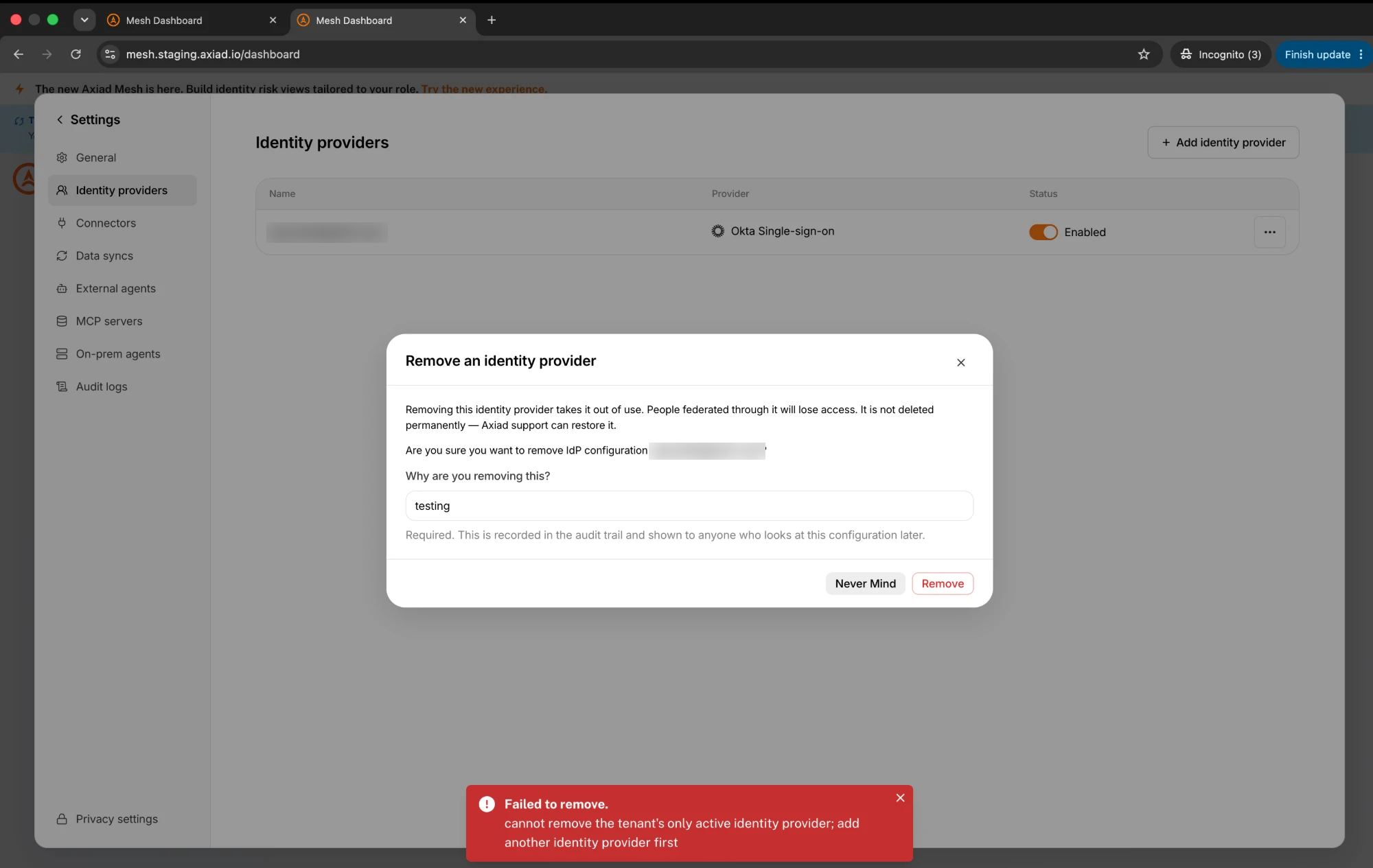
To replace your only provider, add and test the new one first, then remove the old one.
The check counts Enabled providers only. If you have one enabled provider and several disabled ones, the enabled one still cannot be removed — because re-enabling a disabled provider requires signing in, which is exactly what you would have just lost.
You cannot remove the provider you are signed in with
Removing the provider your own session came through would lock you out at your next sign-in, and you are the person most likely to need to put it right.
The removal is refused, and the message explains why. Either sign in through a different provider first, or ask another administrator to remove it.
If nobody can sign in
If your organization somehow ends up with no working identity provider, contact Axiad Customer Success. Axiad can restore access for you.
This is the situation the safeguards above exist to prevent, which is why they cannot be skipped.
What Axiad Support can do
If you have asked Axiad to look at your configuration, a support engineer may be viewing your organization on your behalf. While doing so they can remove an identity provider for you — this exists so that Axiad can help clean up an organization whose administrators cannot sign in — and they can restore one that was removed.
They are held to the same safeguards you are: support cannot remove your last working identity provider either.
Every removal records who performed it. If Axiad removes something on your behalf, the record shows the support engineer's account, not yours.
Removed entries and your audit trail
Removed identity providers are never deleted. The record is kept permanently so the history stays available, and every removal and restore is written to your audit trail with the account that performed it, the time, and the reason given.
Although a removed provider no longer appears on the Identity providers page, you can still see the removal in your audit trail. See Audit logging for how to review those records.