Entities
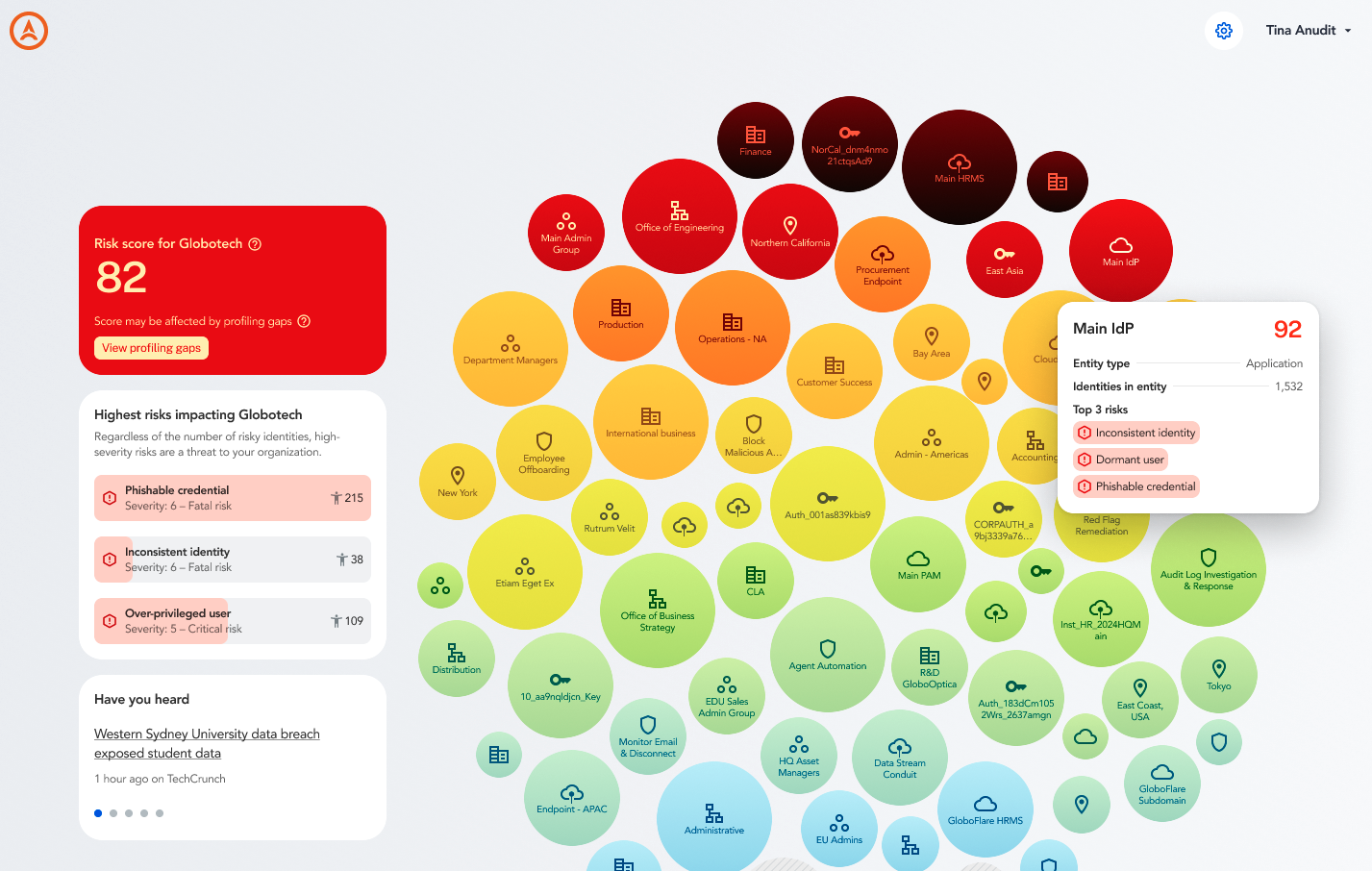
Entities appear in the Axiad Mesh bubble chart overview and can be applications, user groups, authenticators, locations, departments, or other meaningful overlaps within your environment. You can see their risk levels in the overview visualization, or dive deeper into them individually to further understand the potential risk and how to remediate it.
Entity details
When you select an entity (bubble) on the main dashboard, the entity's full details display.
The top level provides the most urgent information, including the risk score, the number of identities associated with the entity, and the main risks.
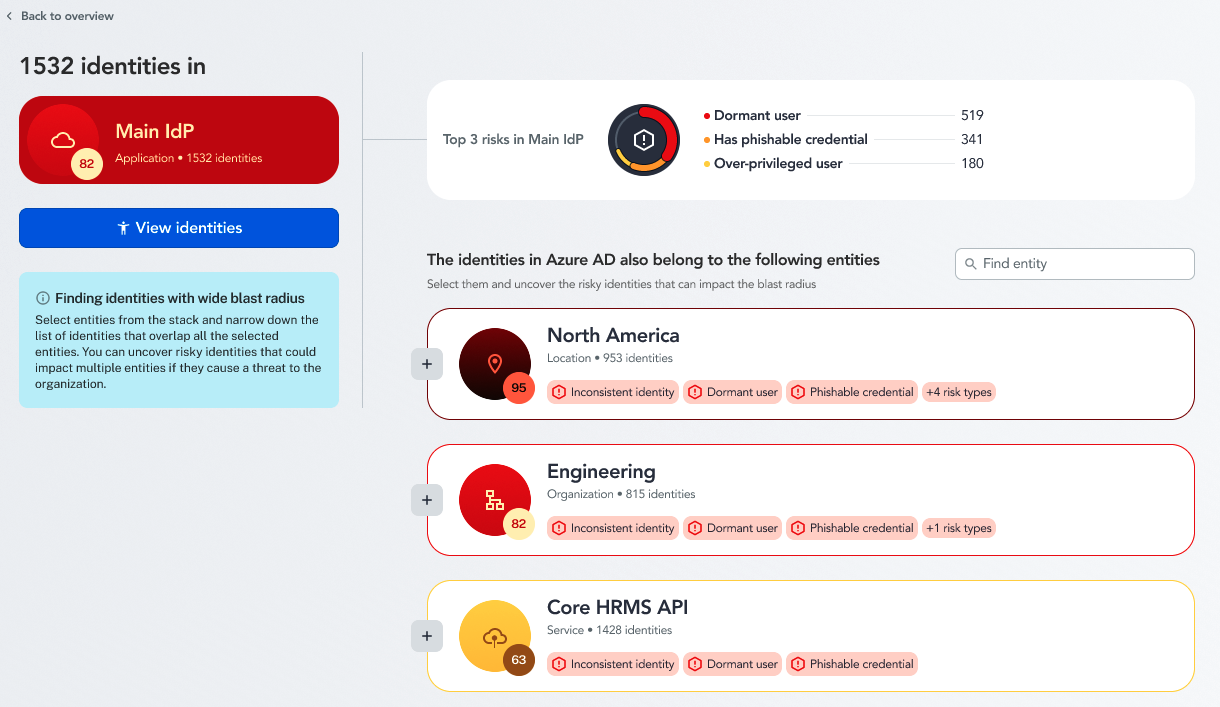
Under the main risks, you can see the other entities that overlap with the identities associated with this entity. This is crucial in determining the blast radius, as all of these entities are threatened by the risk score of the original entity.
Group entities
You can find the main risks across multiple entities by grouping them together to see what overlaps they contain.
Select the + button next to the associated entities to create a group.
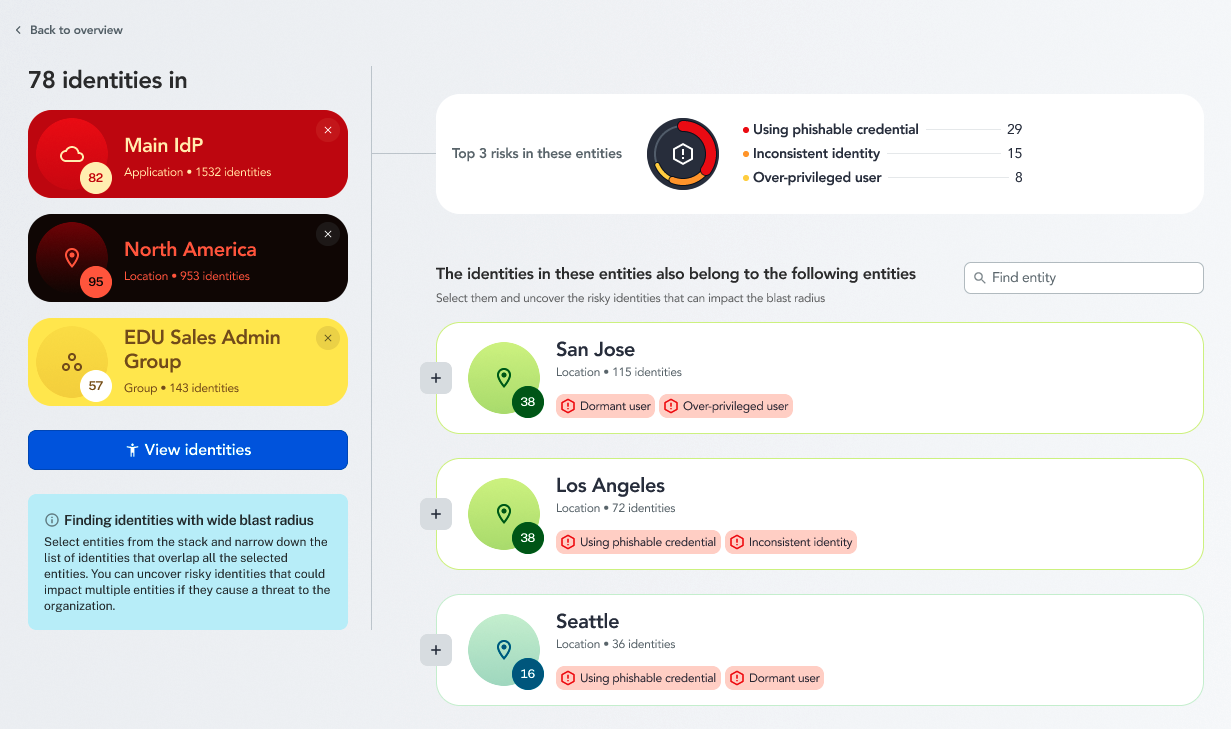
Now you have a more limited view where you can see the main risks and view the associated identities.
To remove any of the grouped entities, select the x in the top right corner of the entity widget.
Once you have your entity group, you can take a step deeper and select View identities to determine causes of risk and how you can remediate them. For a worked example, follow Investigate a risky identity.