Delegate remediation
Throughout Axiad Mesh, you can delegate remediation to another user to ensure that the risk is addressed by the right person.
Delegation options
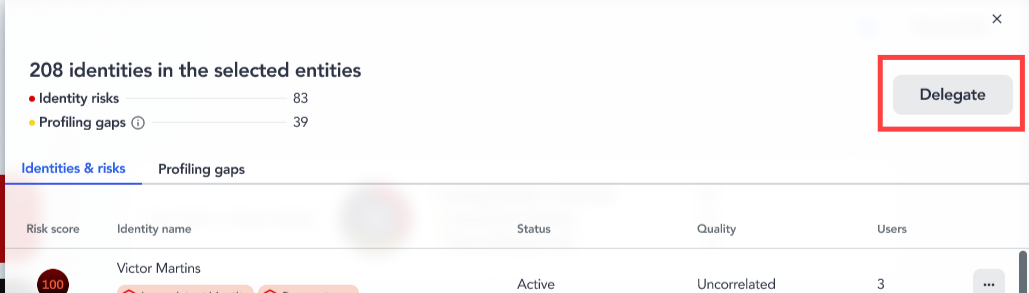
Bulk delegation
If someone in your enterprise is responsible for all of the identity risks, including profiling gaps, you can delegate once to assign every task in the table at the same time.
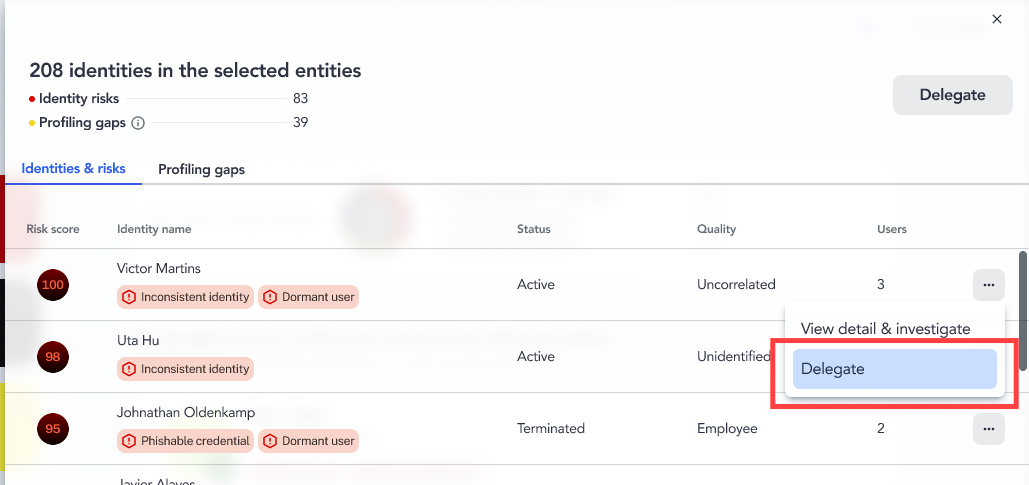
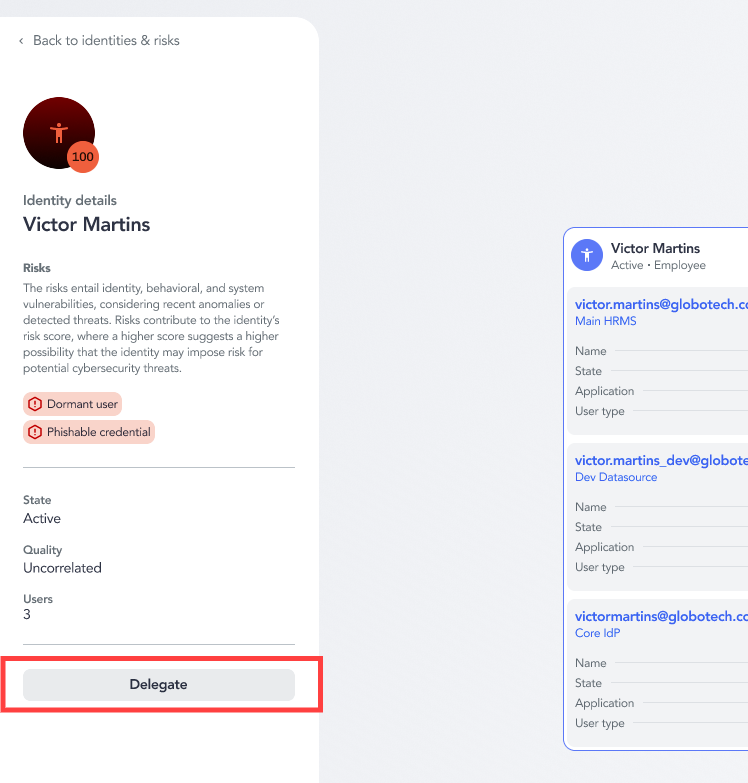
Single identity delegation
To delegate a single identity risk or profiling gap, select Delegate from the options in the identity's row, or select Delegate on the Identity details page.
Delegation process
When you select Delegate, the Delegate the investigation dialog opens. Start typing the user's name in the Delegate to field to assign the task to them.
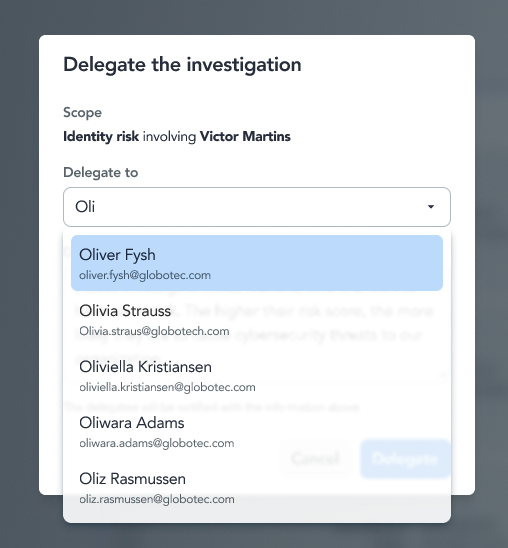
Fill out the form with any notes that would assist the assignee, then select Delegate.
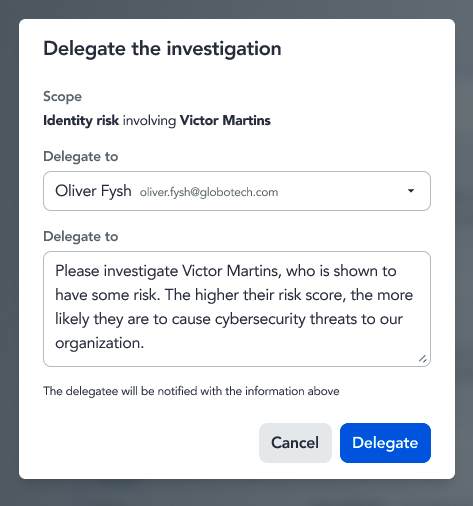
After you assign a task, the delegate receives an email with a direct link to the relevant page, complete with step-by-step instructions to resolve the risk or close the profiling gap.

For the full investigation workflow that leads up to delegation, see Investigate a risky identity.